













PocketQuest
0 Quest Coins earned by reading
Sign in
The family rewards & money-skills app

Chores become quests.
Coins become goals.

PocketQuest turns everyday jobs into quests and pocket money into a lesson in saving. Kids tick off their quests, a grown-up checks them, and Quest Coins build up towards the rewards they choose to save for.

Do. Earn. Save. Invest. Reach your goal.

No card needed. Set up in a few minutes.

Or try a 30-second demo, with no sign-up →

  • No ads, no chat
  • 12 languages
  • iPhone, Android & web
Stage 1 · Our goal +10

Small quests today. Big habits for life.

Most of what children need to learn about effort and money can't be taught in a lecture. It has to be lived, one small, repeated moment at a time. That's what PocketQuest is for.

Our goal
Help every child build good habits and a healthy relationship with money, with the grown-ups who love them cheering every step.
  1. Make routines stick

    Recurring quests for mornings, afternoons and evenings turn "remember to…" into a list kids are proud to finish.

  2. Make effort visible

    Every quest is checked by a grown-up, with praise, a bonus, or a kind "not yet" note, so effort gets noticed.

  3. Teach saving by doing

    Kids pick a goal, watch it fill, and learn that waiting a little longer can mean getting something better. Coins locked in a Fixed Saving even come back with interest.

  4. Bring the family together

    Shared family goals, family rules everyone agrees to, and room for every grown-up in the house.

Stage 2 · How it works +10

One simple loop, every day

From "Done!" to a reward they chose themselves, kids can see exactly how effort turns into something real.

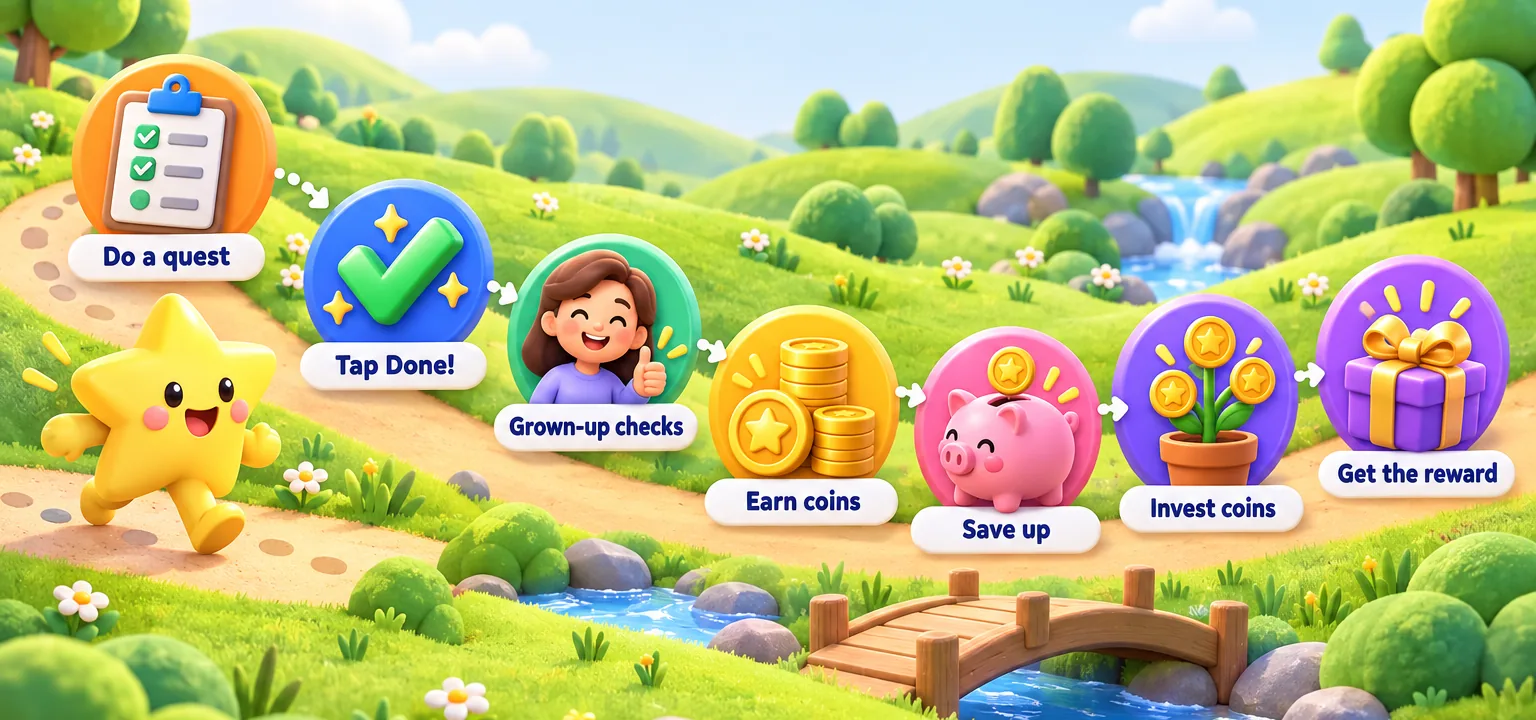
The PocketQuest journey along a hill path: do a quest, tap Done, a grown-up checks, earn coins, save up, invest coins, and get the reward.
  1. Do a questMake the bed, practise piano, pack the school bag.
  2. Tap Done!The quest waits for Mum or Dad to check.
  3. Grown-up checksApprove, add a bonus, or send a kind "not yet".
  4. Earn coinsA live "Quest Complete!" celebration pops up.
  5. Save upCoins fill the goal, with an estimate of when it'll be reached.
  6. Invest coinsLock coins in a Fixed Saving, and they come back with interest.
  7. Get the rewardSwap coins for a reward you set: a treat, a trip, a later bedtime.
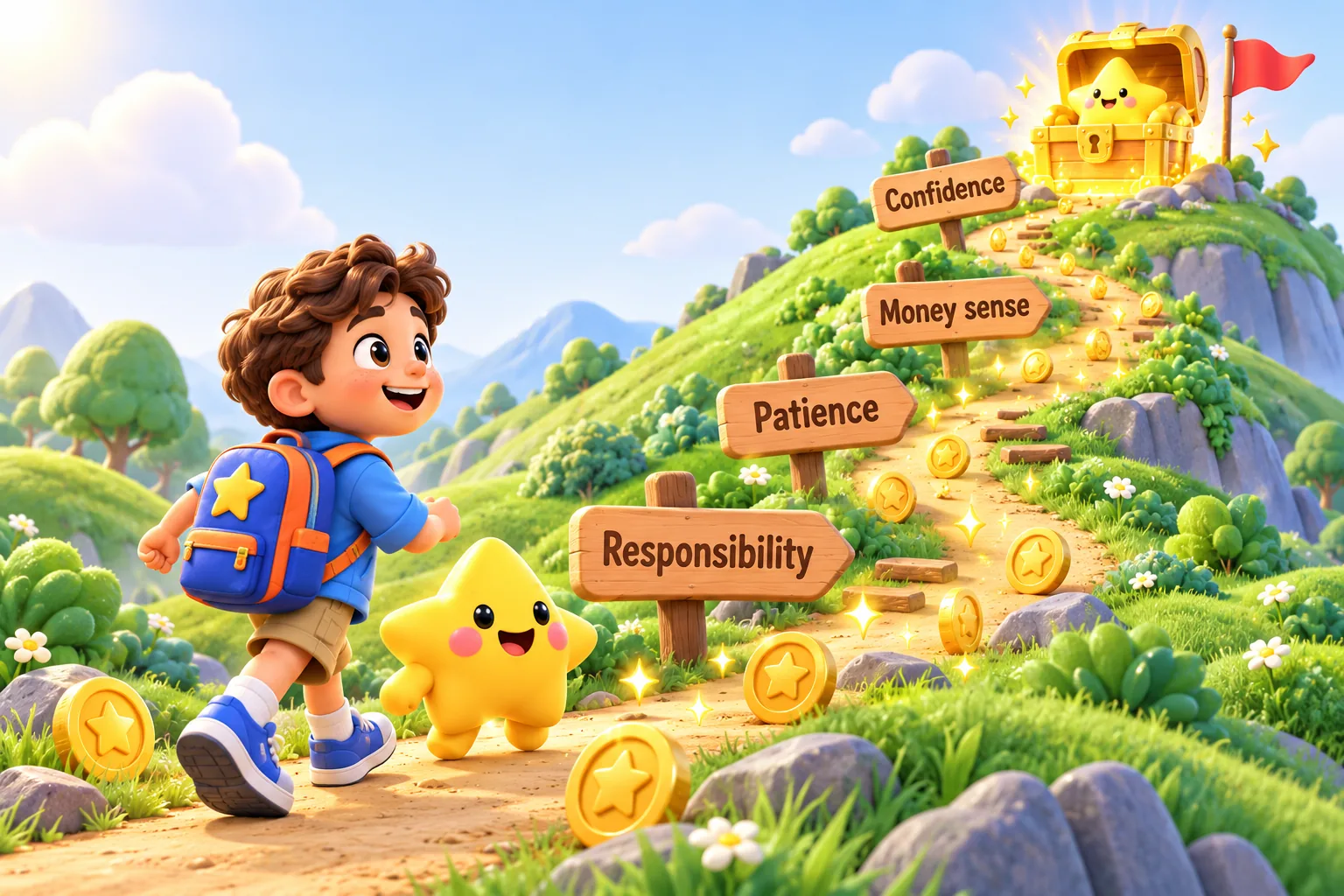
A child and the PocketQuest star walk up a hill path past signposts for Responsibility, Patience, Money sense and Confidence, towards a treasure chest.
Stage 3 · Why it's good for kids +10

Skills that last longer than the reward

  • Responsibility

    Their own daily list, in their own app, so routines become theirs and not a running battle.

  • Patience

    "What if I spend now?" shows how many days a treat today would push their big goal back, and a Fixed Saving pays interest for waiting.

  • Money sense

    Earn, save, invest and spend: a wallet that shows all four teaches budgeting with no real money at risk.

  • Confidence

    Celebrations, streaks and badges that level up make progress something to be proud of.

  • Teamwork & kindness

    Helping-at-home quests and shared family goals show that everyone's effort counts.

Stage 4 · Inside the app +10

Made to feel like a game. Built to work like a routine.

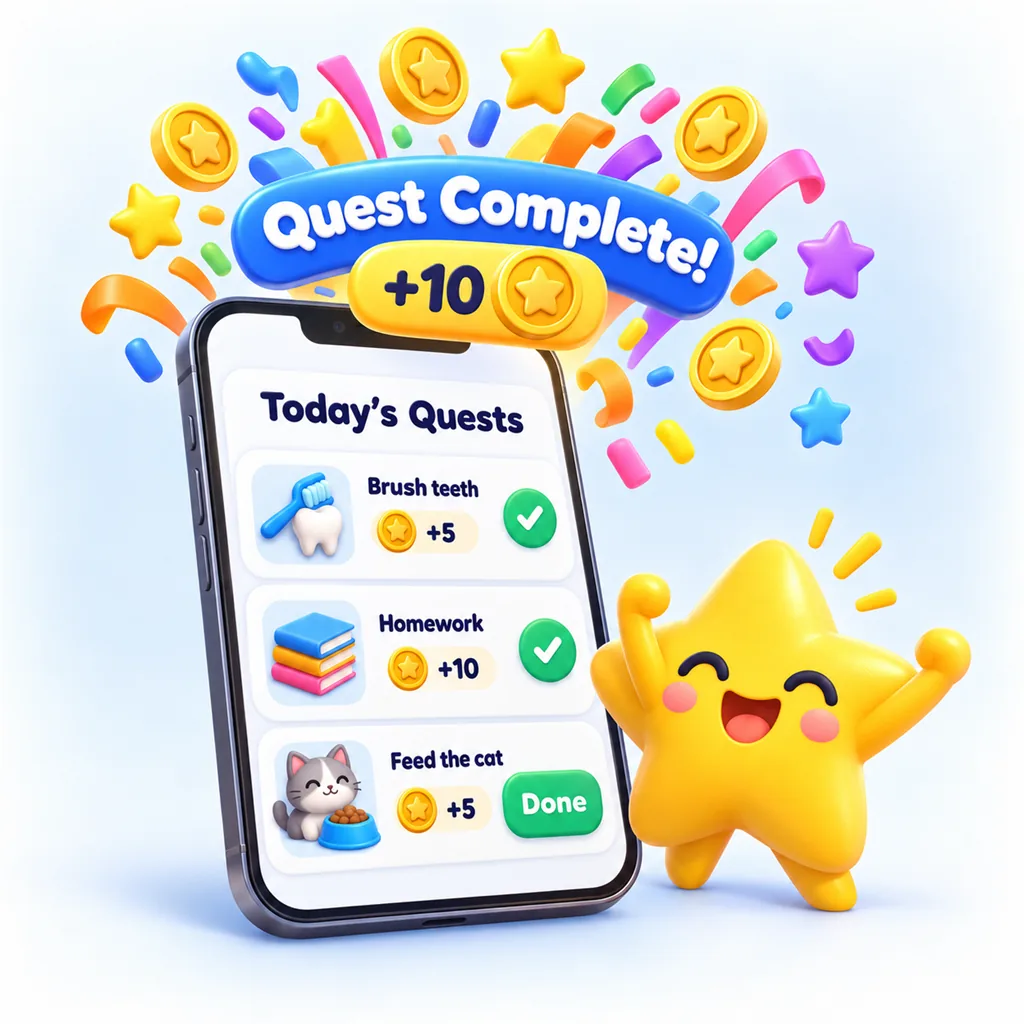
Kid app Today's Quests screen with a Quest Complete! plus 10 coins celebration bursting out.
For kids · Today's Quests

Tap "Done!" and watch the coins fly

Each day's quests are grouped into morning, afternoon and evening. When a grown-up approves, a "Quest Complete!" celebration pops up, even if it happened while the app was closed.

  • Sign in with a family code, their picture and a 4-digit PIN. No email needed.
  • Bigger targets and less text for children aged 4 to 6.
  • Morning and evening reminders, sent only when quests are left.
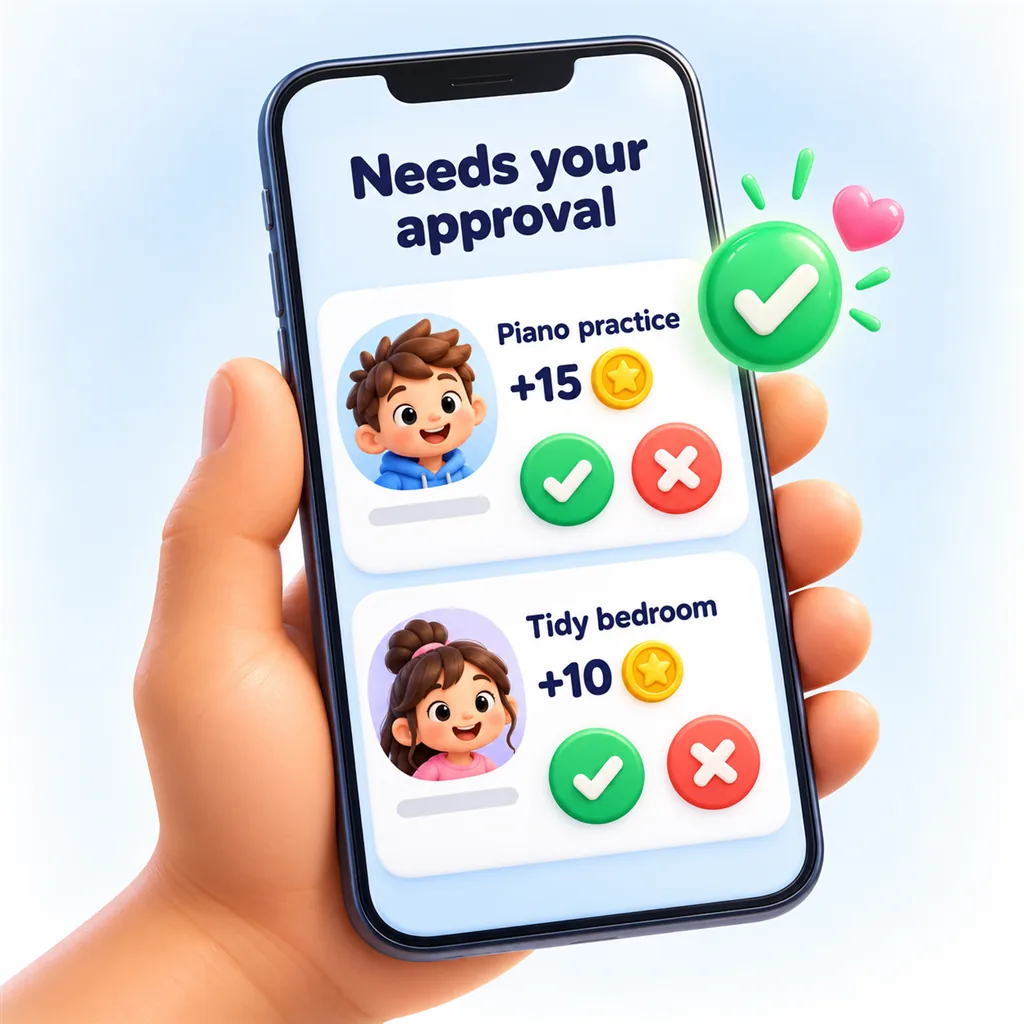
Parent app Needs your approval screen, with Piano practice and Tidy bedroom waiting, and green approve buttons.
For grown-ups · Approvals

You stay in charge, in a couple of taps

Finished quests land in one inbox. Approve, approve with a bonus, adjust the coins, or send a kind "not yet" note. Busy evening? Approve them all at once.

  • A push alert when a quest is ready to check.
  • Reward requests show the balance before and after.
  • Quiet hours keep evenings calm.
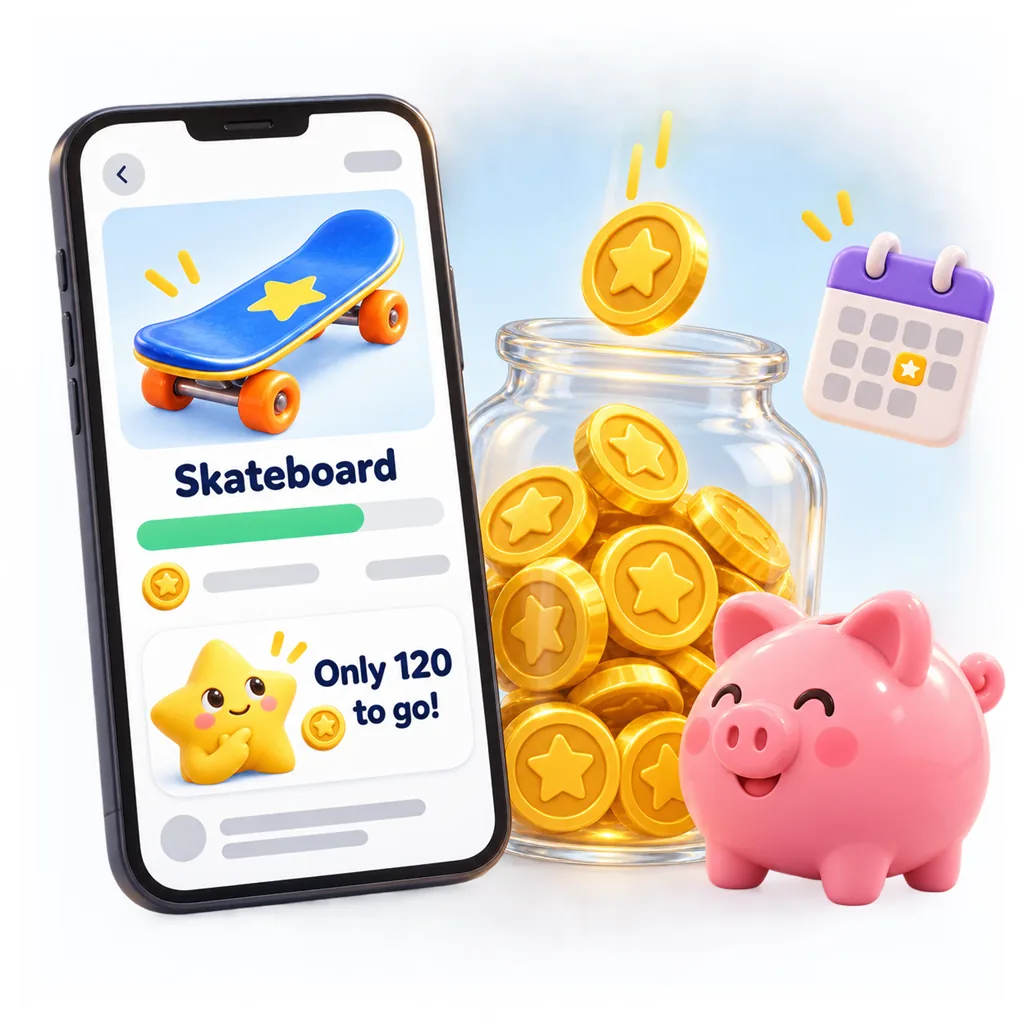
Kid app My Goal screen saving for a skateboard, only 120 coins to go, next to a jar of coins and a piggy bank.
For kids · My Goal, Invest & Wallet

Saving with a finish line they can see

Kids choose what to save for from the reward shop you set up. A progress bar, "only 120 to go", and an estimate based on their last two weeks show them how close it really is.

  • "What if I spend now?" makes the trade-off clear.
  • Fixed Saving: lock coins away for a month or more, and they come back with interest.
  • A wallet with daily history: earned, saved, invested, spent.
  • Optional weekly pocket money, paid in coins.
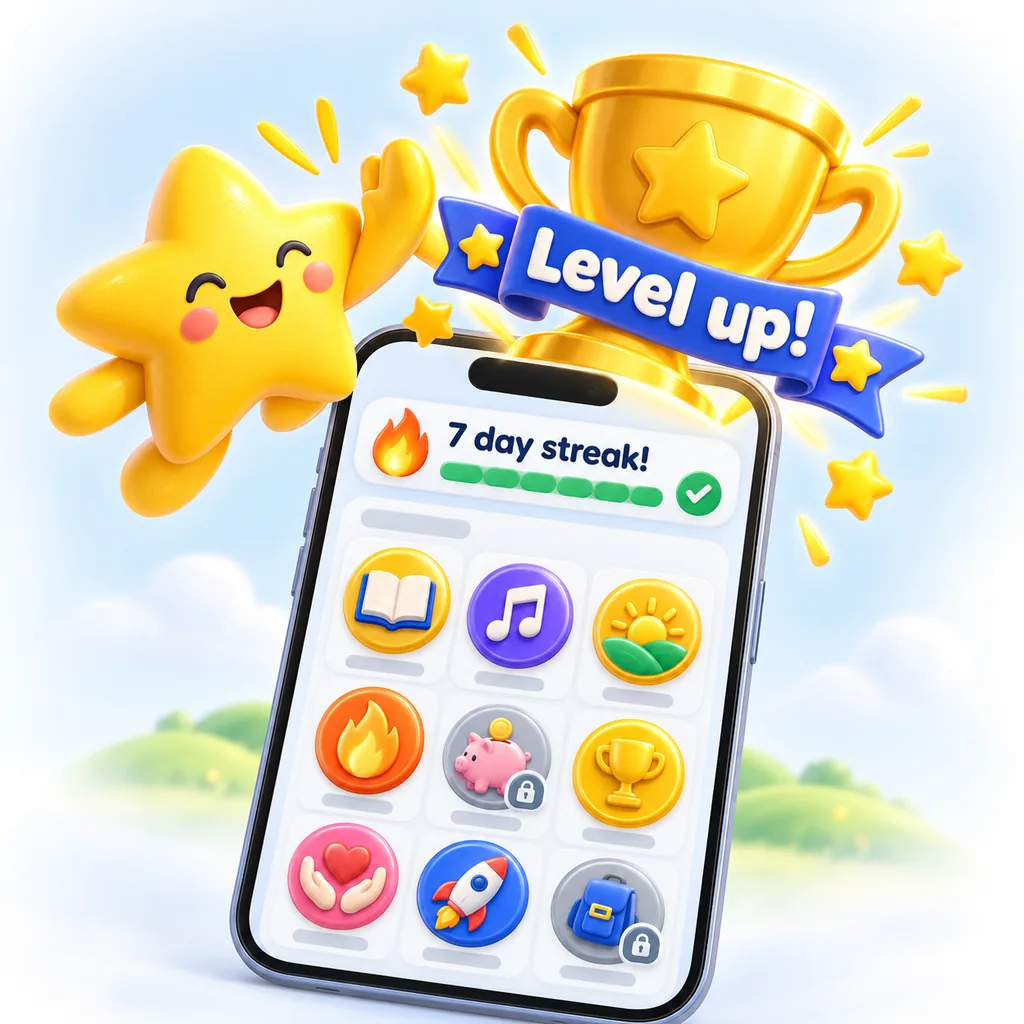
Kid app Badges screen with a 7 day streak banner, shiny badges, and a trophy with a Level up ribbon.
For kids · Badges & streaks

Badges that grow up with them

16 badge tracks with 176 levels, covering reading, music, helping at home, school, savings and more. Early levels come quickly, and the top ones take months or even years.

  • Day streaks and per-quest streaks.
  • An optional bonus for a perfect week.
  • Grown-ups can hide streaks if they don't suit your child.
Stage 5 · For grown-ups +10

Everything you need to run the family quest

Set it up in minutes, and adjust it as your children grow.

  • Ready-made quests

    Templates for mornings, school, music, home and personal responsibility, or make your own.

  • A plan for their age

    Get a suggested starter plan for their age, and review it before anything is added.

  • Weekly planner

    Choose days, times and coins in a simple grid. Pause everything while you travel.

  • Your reward shop

    Treats, outings, screen time. You set the price, the stock and who can see each one.

  • Family dashboard

    Each child's balance, today's progress, current goal and weekly earnings at a glance.

  • Gentle guardrails

    Freeze spending, cap coins per day, set the interest on Fixed Savings, or show coins as £.

  • Family rules

    Write rules together, and children agree again whenever they change.

  • Two grown-ups, one family

    Invite another grown-up. Each chooses their own alerts and daily summary.

Stage 6 · Safe by design +10

Built for children. Private by default.

PocketQuest is a family space, not a social network.

  • No ads, chat or profiles

    No strangers, no public profiles and no advertising. Ever.

  • No email for kids

    Children use only a first name, a picture and a PIN, which locks after five wrong tries.

  • Virtual coins only

    Quest Coins are controlled by grown-ups. There are no in-app purchases for kids.

  • Your data, your call

    Sign in with a passkey, Google or Apple. Delete your account any time, with 30 days to change your mind.

Why PocketQuest exists
I built PocketQuest for my own kids, to teach them that rewards come from hard work, and how saving works in the real world.

The parent who built PocketQuest

Stage 7 · Pricing +10

One subscription for the whole family

Every child and every grown-up, on iPhone, Android and the web.

Monthly

£0.99 / month

Cancel any time in your store account.

Save 16%

Yearly

£9.99 / year

Less than a pound a month.

Try everything free for 14 days. No payment needed to start, and we'll remind you before your trial ends. Prices may vary by country and are confirmed in the App Store or Google Play.

Questions grown-ups ask

Is any real money involved?

No. Quest Coins are virtual points that you control. You decide what rewards cost and what they are. Some families link coins to real pocket money, and the optional £ display helps with that, but the app never moves money.

What age is PocketQuest for?

It works from about age 4. Children aged 4 to 6 get bigger targets and less text, and the suggested plans adapt as children get older, for 7 to 10 year olds and beyond.

Does my child need their own phone?

No. Children can use a shared tablet or a grown-up's phone. "Open as child" hands your device to them without a PIN, and each child signs in with their own picture.

Can both parents (or grandparents) use it?

Yes. Add as many grown-ups as you like to the family. They can all approve quests, and each chooses their own notifications.

Which languages are available?

English, Chinese (Simplified and Traditional), Hindi, Spanish, Arabic, French, Bengali, Portuguese, Russian, Indonesian and Japanese. It follows your device's language automatically.

What happens when the free trial ends?

Subscribe through the App Store or Google Play to carry on. If you don't, everything stays readable and nothing is deleted. Changes are paused until you subscribe.

Ready to start your family's quest?

Set up your family in a few minutes and see the first "Done!" today.